
myvhf, dentalcam 9, and dentalcnc 9: The New vhf Software Workflow Explained
Three names come up with every new vhf machine: dentalcam, dentalcnc, and myvhf. They aren't versions of the same thing. dentalcam plans the case, dentalcnc runs the mill, and myvhf keeps an eye on the whole setup. Knowing which does what saves a lot of confusion at quote time.
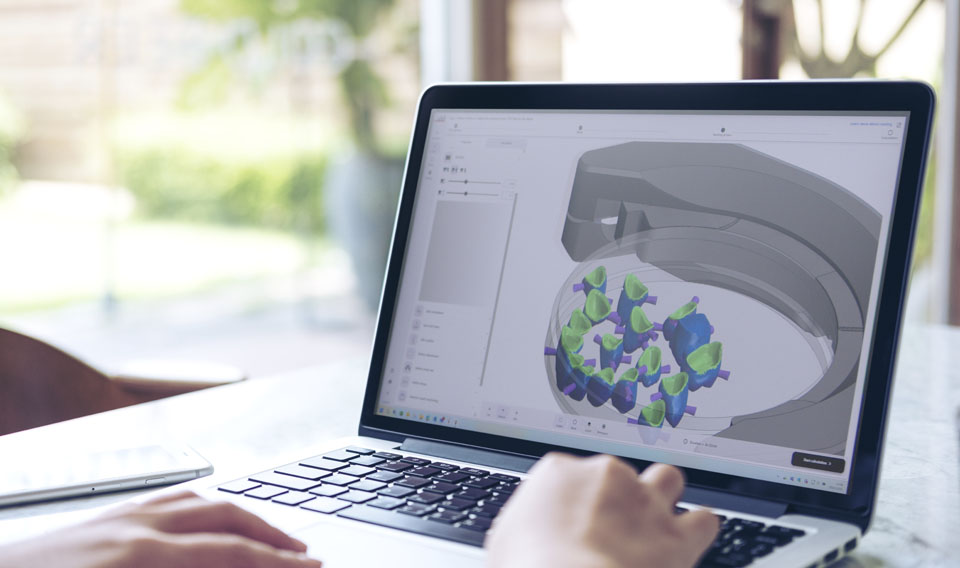
Layer 1: dentalcam prepares the work
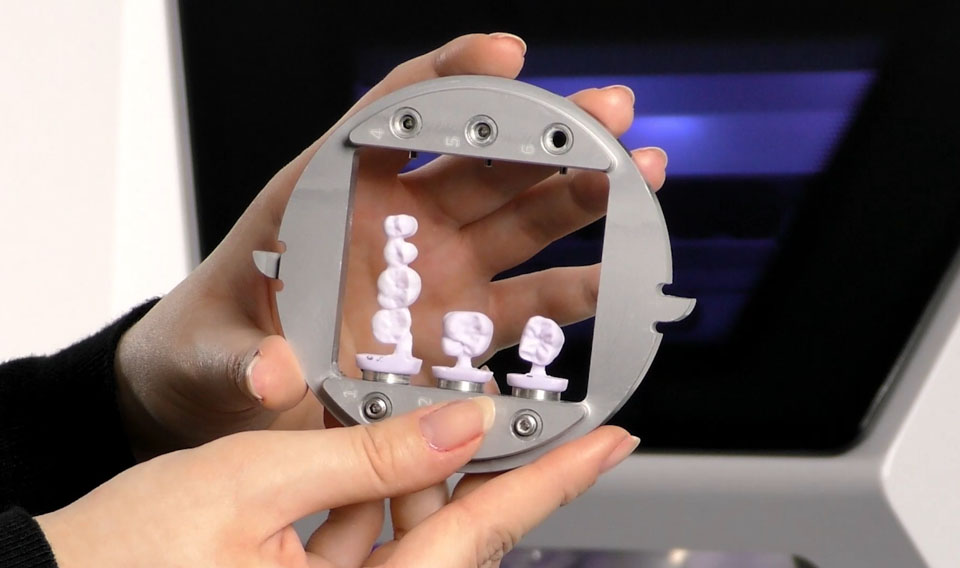
dentalcam is where a restoration turns into something the machine can actually cut. You pick the material, place the restorations, set the strategy, and generate the milling or grinding file. dentalcam 9's pitch is speed and a cleaner, redesigned workflow.
A newer version won't fix a shaky process. What separates labs is whether the team gets how CAM setup ripples into bur choice, disc usage, machine time, remakes, and scheduling. dentalcam 9 helps most when there's already a real routine for it to speed up.
Layer 2: dentalcnc controls the machine
Once the job is ready, dentalcnc takes over and drives the machine. The big addition in version 9 is Multi-Machine Control: run several machines from one program. One mill? File it under future-proofing. Two or more, or a lab clearly heading that way, and it quietly reshapes how you route work every day.
It also hooks into the myvhf cloud, so a service partner can back up and restore machine configurations, control data, and licenses. Nobody buys a mill for that. You appreciate it the first time a machine drops and you're not rebuilding its setup from scratch with cases stacking up.
Layer 3: myvhf keeps the machine visible
myvhf is the visibility layer: one dashboard for machine status, push notifications, job stats, maintenance, training, news, and model-specific knowledge base articles. If your current setup for equipment support is a pile of emails and half-remembered phone calls, this is the part that pulls it into one place.
Used properly, it nudges a shop toward genuinely managed production: status in one view, maintenance you see coming instead of reacting to, and service data on hand when you need help fast.

How to factor this into a vhf decision
Don't treat the software as a separate conversation from the machine. A chairside operator, a one-mill lab, and a multi-machine production floor will all use this workflow differently. Start from your actual case mix and work backward to the machine, materials, tools, software version, and support plan that fit it.
- For a first vhf machine, confirm the training path and first materials before checkout.
- For a growing lab, review whether multi-machine management will matter soon.
- For an existing vhf owner, separate new-machine software timing from upgrade timing.
Next step: Ask Dentcore to map your vhf software workflow before choosing the machine configuration.
Plan a vhf workflowSources reviewed: vhf digital solutions and vhf CAM software.
Related Dentcore guides
Important note: Software timing, machine delivery scope, upgrade eligibility, and available features can change. This article is Dentcore's buyer-focused summary and planning guide. Always confirm current vhf documentation, machine model details, and Dentcore's final quote before purchasing or changing a production workflow.