TruAbutment
TruAbutment T-Marker Kit - URIS
TruAbutment T-Marker Kit - URIS
Couldn't load pickup availability
Product details
T-Marker finds multi-unit abutment (MUA) positions with an iPad Pro or iPhone Pro. Seat the coded markers on the MUAs, scan them in the T-Marker app, and export the positions as an STL file. No calibration and no cables. This kit is for the URIS (M1.6) connection.
Key features
- Intraoral scans around scan bodies can stitch poorly or be hard to reach. T-Marker captures MUA positions outside the mouth with the device camera.
- Runs on an iPad Pro (2024 or newer) or iPhone 15 Pro and newer Pro / Pro Max.
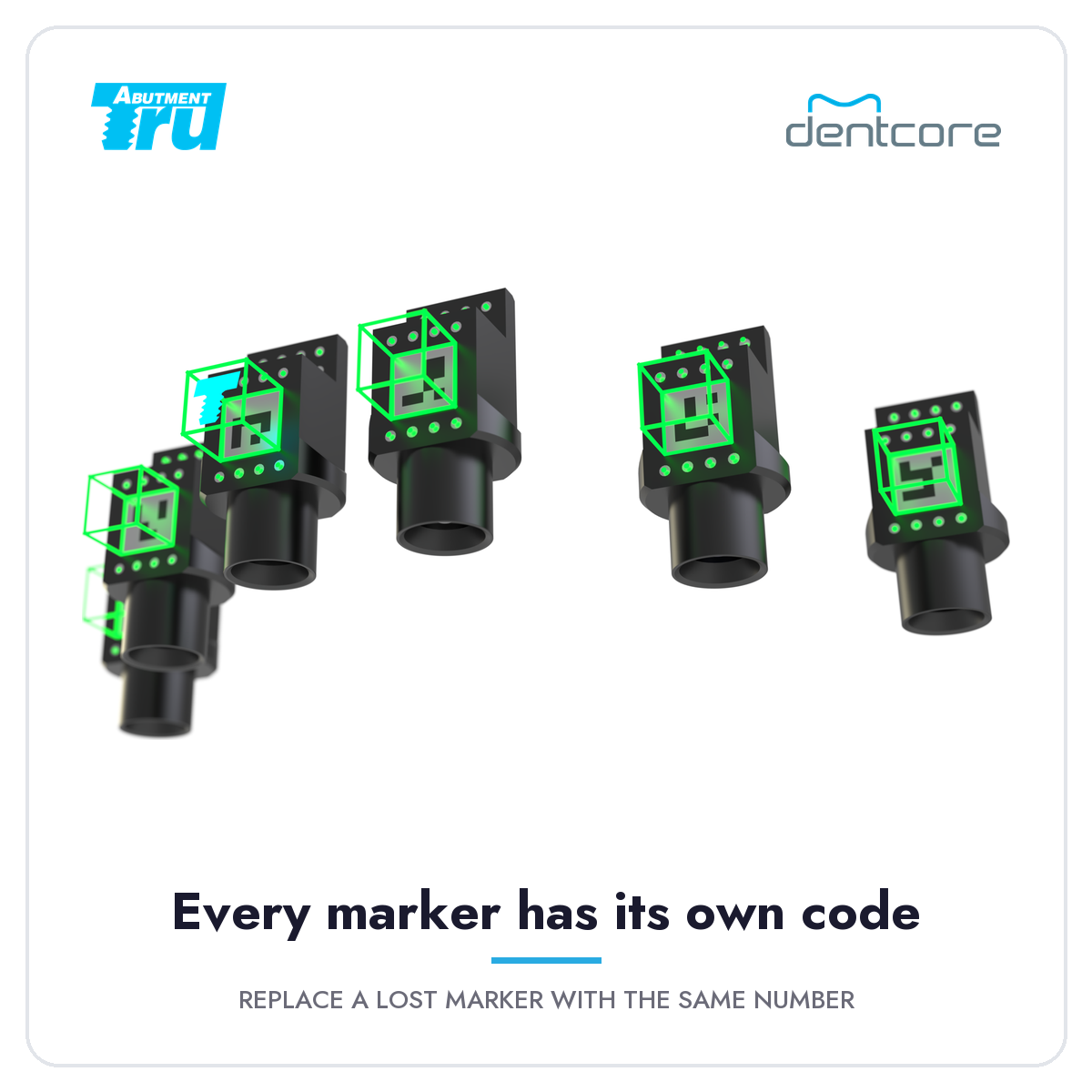
- Captures 3 to 10 markers at once. Every marker carries its own code.
- Exports for HS Cap Small, HS Cap, MUA Cone or Dual Align Scan Body.
- Angle Verification measures MUA angles right in the app.
- On-screen guides show focus, progress and distance while you scan.
- Unlimited STL exports on every app plan.
Specifications
| Kit code | TMK-UR |
|---|---|
| Connection | URIS (M1.6) |
| Markers in kit | 10 (TM-UR01 to TM-UR10) |
| Markers per capture | 3 to 10 |
| Output | STL (MUA positions) |
| Export types | HS Cap Small, HS Cap, MUA Cone, Dual Align Scan Body |
| Capture distance | 3–5 in (7–12 cm) at about 45° |
| Supported devices | iPad Pro (2024 or newer); iPhone 15 Pro or newer Pro / Pro Max |
| App | TruSuite T-Marker, Apple App Store (not available for Android) |
| Sterilization | Steam, 132 °C for at least 4 min, then 20 min drying |
In the box
| Item | Part no. | Qty |
|---|---|---|
| T-Marker | TM-UR01 to TM-UR10 | 10 |
| HS Cap Small | HSS-UR | 10 |
| Hex 1.25 screwdriver | TDH-H12510 | 1 |
Not included: iPad or iPhone, and the T-Marker app plan.
Videos
Angle Verification: the app measures MUA angles in seconds.
Clinical case by Dr. Kang, from implant placement to final restoration.
T-Marker app plans
| Plan | Price | Per month |
|---|---|---|
| Monthly | $99 | $99 |
| 6 months | $499 | $83.17 |
| 12 months | $899 | $74.92 |
Every plan includes unlimited STL exports. Plans are chosen and activated in the T-Marker app and are not part of the kit price.
Compatibility
The URIS kit fits the URIS (M1.6) multi-unit abutment connection. TruAbutment's compatibility chart lists MIS and Ritter in the M1.6 group.
M1.6 is a different connection from All-on-T (M1.4), so URIS and AOT markers are not interchangeable.
How it works
- Download the T-Marker app from the App Store and activate a plan.
- Pair your device by entering its 9-digit number in the app.
- Choose upper or lower, name the case and set the number of markers.
- Seat the markers on the MUAs, all facing forward with the markings in clear view.
- Line up the on-screen outline with the arch and scan at about 45°, 3–5 in away. Swing about 10° left and right until every marker shows DONE.
- Pick the export type and send the STL by email or AirDrop, or save the case in the app.
Lower arch: capture from in front of the patient. Upper arch: recline the patient and capture from above the head. If one marker blocks another, finish that marker, remove it, then capture the rest without moving the others.
Care and cleaning
Use an approved enzymatic cleaner. Oxidizers such as hydrogen peroxide or bleach, strong alkalis above pH 9, and chelating agents such as EDTA or citric acid can discolor the black anodized markers.
Approved cleaners: Ruhof Endozime AW Plus with A.P.A., Metrex EMPOWER® Fragrance Free, Dr. Schumacher PLURAZYME™ EXTRA.
- Right after use, soak for 10 minutes in lukewarm water with enzymatic detergent (for example 0.4% Endozime AW).
- Brush under running water.
- Ultrasonic clean for 5 minutes below 40 °C at 25–50 kHz with enzymatic detergent.
- Rinse in distilled water for 1 minute, inspect, then dry at 60 °C for about 20 minutes.
- Steam sterilize at 132 °C for at least 4 minutes with 20 minutes drying. Store at 1–30 °C out of direct sunlight.
FAQ
Which kit do I need?
Choose by MUA connection: AOT for All-on-T (M1.4), URIS for M1.6, and the Straumann® kit for ST35 / ST46. Not sure? Call 844-292-8023 or email info@dentcore.com with your MUA brand and platform and we will check it before you order.
Is an iPad or iPhone included?
No. Use your own iPad Pro (2024 or newer) or iPhone 15 Pro or newer Pro / Pro Max. Android devices are not supported.
Is the app plan included?
No. The kit and the T-Marker app plan are separate. Plans start at $99 a month and include unlimited STL exports.
What if I lose a marker?
Each marker has its own code, so a replacement must carry the same number. For example, a lost UR-01 is replaced with another UR-01. Single markers are available; send us the kit code and marker number.
How many markers do I need per scan?
At least three. The app does not recognize fewer than three, and it can track up to ten at the same time.
Downloads
T-Marker User Manual (21 pages)
T-Marker Cleanser Guide (2 pages)
Straumann®, Apple®, iPad® and iPhone® are trademarks of their owners. Brand names show compatibility only.