
Asiga Pro 4K 80 UV Dental 3D Printer Guide
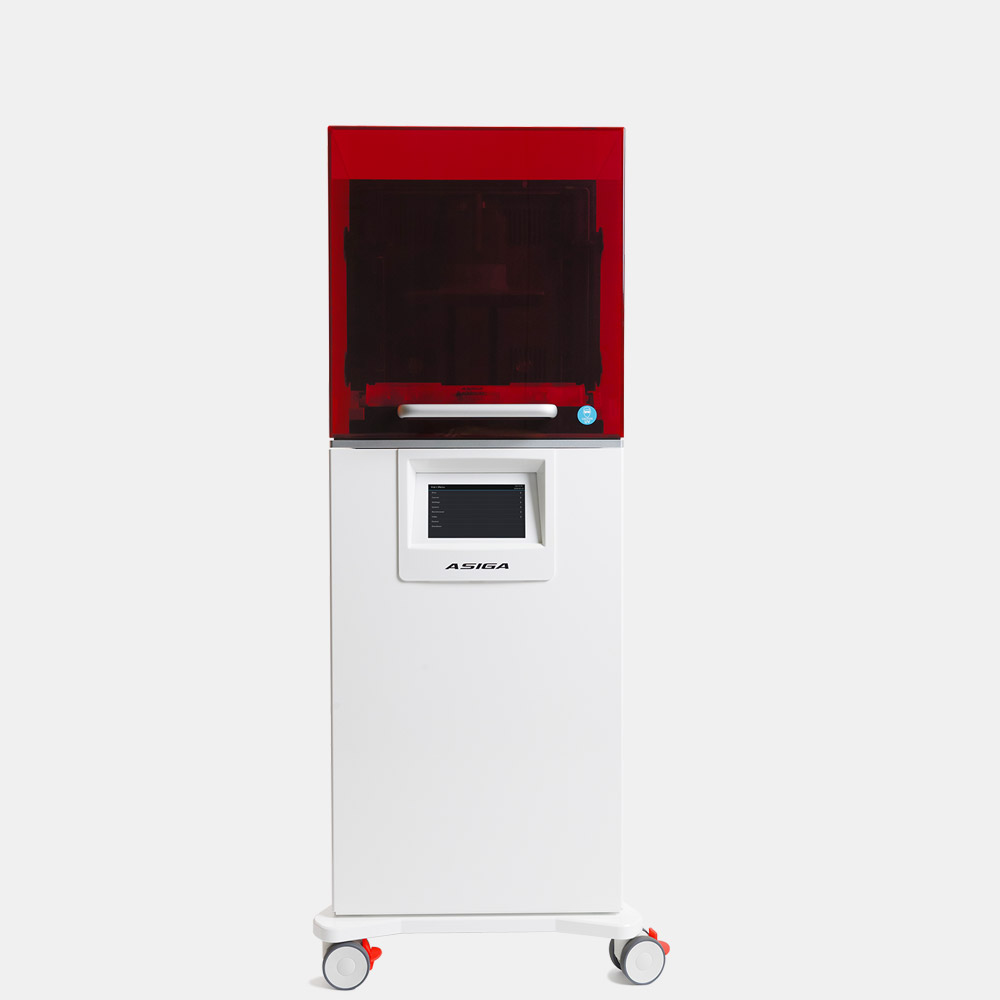
The Asiga Pro 4K is the production printer in Asiga's lineup, sized for labs that run trays of models, guides, and denture bases as a daily volume rather than a few cases at a time. The 80 configuration is the widest of the three, trading the finest pixel for the largest build area. Here is what the Pro 4K 80 actually offers and the trade-off behind that 80 µm pixel.
Specifications at a glance
| Specification | Asiga |
|---|---|
| Imaging | 4K DLP with industrial-grade high-power LEDs |
| XY pixel (Pro 4K 80) | 80 µm (56 µm in native mode) |
| Build volume (Pro 4K 80) | 217 × 122 × 200 mm |
| Light source | 385 nm (405 nm available) |
| LED calibration | Auto-calibrating with integrated radiometer |
| Layer thickness | Adjustable in 1-micron increments |
| Material system | Open architecture, 650+ qualified resins |
| Software | Asiga Composer, unlimited installs, lifetime updates |
| Connectivity | Wi-Fi, Wireless Direct, Ethernet |
| Weight | 140 kg |
| Warranty | 12-month manufacturer warranty, lifetime tech support |
The 80 in the name is a pixel size, and a trade-off
The Pro 4K comes in three build sizes, separated by their XY pixel: the 45, the 65, and the 80. The number is the pixel size in microns. A larger pixel covers more area per projection, so the 80 has the biggest build volume of the three at 217 × 122 × 200 mm. The cost of that reach is resolution: the 80 µm pixel resolves less fine detail than the 45 µm configuration.
That is the right trade for what the 80 is built to do. Models, custom trays, and denture bases do not need a 32 µm pixel; they need throughput and a large platform so you fill one print with many units. If your work is high-aesthetic crowns or thin veneers where edge detail decides the result, a finer-pixel Pro 4K or the Ultra is the better fit. Match the pixel to the case, not the headline number.
Calibrated light is why print 1 matches print 500
In production, the failure mode that hurts is drift: parts that print correctly in the morning and slightly off by the afternoon as the LED warms or ages. The Pro 4K uses a 385 nm light source with an integrated radiometer that auto-calibrates the LED output. The printer measures its own light and corrects it, so the energy reaching the resin stays constant across a long run and across the life of the LED. For a lab that has to deliver dimensionally consistent parts every day, that self-correction is doing more work than any single speed or resolution number.
The 385 nm wavelength matters for material range. Many dental resins, including a number of Asiga's denture and surgical-guide materials, are formulated for 385 nm. A 405 nm option is available where a material calls for it.
Open materials and adjustable layers
The Pro 4K uses Asiga's open material system, with more than 650 qualified resins. The printer does not lock you to a single resin vendor, so you choose the best material for each indication and are not exposed to one supplier's pricing or stock. Layer thickness is adjustable in 1-micron increments, which lets a lab tune the balance between speed and surface finish per material rather than accepting fixed presets.
The printer ships with Asiga Composer, the same software across the Asiga range, with unlimited installs and lifetime updates so seat count and version upgrades are not recurring costs.
Where the Pro 4K 80 fits
This is a floor-standing production machine, not a benchtop unit. At 140 kg it is built to run continuously and fill a large platform per cycle. The case for it is volume: a lab outputting models, guides, and bases at scale gets the largest Asiga build area and the throughput that comes with it. A practice printing a handful of cases a week does not need this footprint and is better served by the MAX 2 or Ultra. The Pro 4K earns its place when the bottleneck is how many units you can fit in one print.
See the Asiga Pro 4K 80 at Dentcore
Dentcore is a U.S. Asiga distributor. Review the Pro 4K 80 production printer, its build configurations, and the open material workflow.
View Pro 4K 80Compare Asiga MAX 2Browse all Asiga printers and post-processing →